Engage in discussions, seek assistance, and report issues related to client applications, including: TNAS PC for Windows and macOS, TNAS mobile for iOS and Android, as well as smart TV applications and clients.
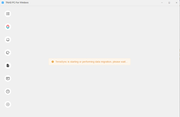
Hi. After a recent reboot of my TNAS (model F2-425) the desktop client on one of my Windows PCs has been stuck showing the "TerraSync is starting or performing data migration, please wait" message. It's not showing anything on the TerraSync Servers or Sync / Backup tasks tabs. However the existing Sync tasks still appear to work since the system tray popups shows the files it's uploading to the TNAS.
This is with desktop client version 5.2.520. I haven't updated the desktop client since TOS 7 became a requirement for the new versions since my NAS still runs on TOS 6. Is there anything I can do to resolve this?
This process generally takes a long time, but based on your description, it is also quite possible that a currently running task is blocking the handshake or synchronization confirmation between the client and the TerraSync server. If you feel you have waited too long, try the following:
Open TOS and check whether the TerraSync service is running properly.
Try restarting the TerraSync service and the TNAS PC.
You may also consider upgrading or updating TOS and the TNAS PC.
To contact our team, please send email to following addresses, remember to replace (at) with @:
Technical team: support(at)terra-master.com (for technical support)
Service team: service(at)terra-master.com (for purchasing, return, replacement, RMA service)