TOS 7.0.1278 / U4-500: encrypted USB disappears from GUI; Storage Manager "Failed to retrieve data"; SQL GLOB and USB/UAS errors
Hello TerraMaster team,
I am reporting an issue that is still reproducible on TOS 7.0.1278, despite the relevant fixes listed in the 7.0.1188 release notes (encrypted USB status and Storage Manager retrieval failure in the presence of USB I/O errors):
viewtopic.php?t=10545
Environment
- NAS: TerraMaster U4-500
- OS: TOS 7.0.1278 (x86)
- External disk: TOSHIBA External USB 3.0, 1 TB (931.5 GiB), USB ID 0080:a001 (as reported by the kernel)
- Partitioning/encryption: GPT, one partition /dev/sdi1, LUKS2, with EXT4 inside the encrypted mapping
- Test date: October 1, 2026
How I reproduced the GUI problem
1. Connected the USB disk to the U4-500.
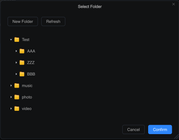
2. Formatted it and enabled encryption through TOS Storage Manager.
3. Unplugged it, waited about 10 seconds, then plugged it back in.
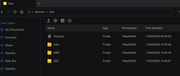
4. Linux still detected the disk and its partition (/dev/sdi and /dev/sdi1), but the device was missing from the relevant TOS GUI view. Clicking Refresh in Storage Manager > USB Devices returned "Failed to retrieve data".
5. Restarting ONLY the service over SSH resolved the GUI problem, without rebooting the NAS:
Code: Select all
systemctl restart StorageManager.service
After this, StorageManager.service was active and running again. Before the restart the service had also been running; it had not simply crashed.
Evidence that the encrypted partition is detectable by Linux
Code: Select all
lsblk: sdi 931.5G disk; sdi1 931.5G part crypto_LUKS FSVER=2
blkid /dev/sdi1: TYPE="crypto_LUKS"
file -s /dev/sdi1: LUKS encrypted file, ver 2
cryptsetup isLuks /dev/sdi1: exit code 0
The kernel log also recorded EXT4 successfully mounted on an encrypted device-mapper device at 07:40, followed by an unmount at 07:43. At the time of later diagnostics, no USB encrypted mapping appeared in dmsetup's device tree. These observations come from different stages of my testing; there were also repeated formatting attempts in the log.
Problem 1: repeated SQL syntax error in Storage Manager
This error occurred at several points, including 06:01, 07:21, 07:44, 07:45 and 07:57:
Code: Select all
storagedevicepool.go:867 ERROR: syntax error at or near "GLOB" (SQLSTATE 42601)
SELECT * FROM "share" WHERE
 (extend = '/dev/sdi' OR extend = '/dev/mapper/sdi')
 OR (extend GLOB '/dev/sdi[0-9]*'
 OR extend GLOB '/dev/mapper/sdi[0-9]*')
Can you investigate whether this query is compatible with the actual database backend? Regardless of the USB hardware errors, the application should handle failed queries and USB removal gracefully.
Problem 2: Storage Manager cannot retrieve device information
Code: Select all
GetOverview1GetDiskData failed: not support device: not support current device
07:57:52 PUT /v1/sdi?flag=in -> block device not found
Refreshing USB Devices did not restore it, but restarting StorageManager.service did.
Problem 3: repeated USB/UAS I/O errors
Kernel messages during testing included:
Code: Select all
usb 3-5.2: stat urb: status -71
sdi: uas_eh_abort_handler ... CDB: Write(10)
sdi: uas_eh_abort_handler ... CDB: Read(10)
scsi host69: uas_eh_device_reset_handler start / success
sdi: ... CDB: Synchronize Cache(10)
The device repeatedly reset during read/write operations. Following replugging at 07:56-07:57, there were failed reads, resets and another disconnect before a successful re-enumeration; the kernel identified it as a "high-speed USB device" despite its USB 3.0 product name. I recognize that these I/O errors may be a separate cable, port, bridge, power or UAS compatibility issue. Nonetheless, the Storage Manager should recover from a problematic USB device rather than becoming unusable until manually restarted.
Questions for TerraMaster R&D
1. Are the two encrypted-USB / Storage Manager fixes announced in TOS 7.0.1188 expected to cover this scenario on 7.0.1278? If so, please consider this a possible regression or an incomplete fix.
2. Can you confirm and fix the SQL "GLOB" syntax error in storagedevicepool.go:867?
3. Can Storage Manager automatically recover from USB I/O errors, disconnects and reconnects without a service restart?
4. Should we test a USB-storage / UAS quirk for this specific USB bridge, or do you recommend another nondestructive diagnostic procedure?
I have attached a timestamped, shortened excerpt from journalctl and dmesg for support team.
Code: Select all
TerraMaster U4-500 | TOS 7.0.1278 (x86)
Test date: 2026-10-01 | Kernel / Storage Manager diagnostic excerpts
Note: USB serial number and UUIDs redacted. Device names (/dev/sdi) can change on reconnect.

=== LINUX DEVICE DETECTION (after the GUI failure) ===
NAME     SIZE TYPE FSTYPE      FSVER LABEL UUID                                 PARTUUID
sdi    931.5G disk
└─sdi1 931.5G part crypto_LUKS 2           [UUID REDACTED] [UUID REDACTED]

/dev/sdi: PTUUID="[UUID REDACTED]" PTTYPE="gpt"
/dev/sdi1: UUID="[UUID REDACTED]" TYPE="crypto_LUKS" PARTLABEL="primary" PARTUUID="[UUID REDACTED]"
/dev/sdi1: LUKS encrypted file, ver 2 [, , sha256] UUID: [UUID REDACTED]
cryptsetup isLuks /dev/sdi1 -> exit code 0

=== STORAGE MANAGER (selected original lines) ===
Oct 01 06:01:30 ... storagedevicepool.go:867 ERROR: syntax error at or near "GLOB" (SQLSTATE 42601)
Oct 01 06:01:30 ... SELECT * FROM "share" WHERE (extend = '/dev/sdi' OR extend = '/dev/mapper/sdi') OR (extend GLOB '/dev/sdi[0-9]*' OR extend GLOB '/dev/mapper/sdi[0-9]*')
Oct 01 06:17:04 ... /bin/bash -c printf "y\n" | mkfs.ext4 /dev/sdi1
Oct 01 07:21:10 ... storagedevicepool.go:867 ERROR: syntax error at or near "GLOB" (SQLSTATE 42601)
Oct 01 07:32:53 ... /bin/bash -c printf "y\n" | mkfs.ext4 -L dump /dev/sdi1
Oct 01 07:35:18 ... WARNING: Device /dev/sdi1 not initialized in udev database even after waiting 10000000 microseconds.
Oct 01 07:40:12 ... /bin/bash -c mkfs.ext4 -L dump /dev/mapper/sdi1
Oct 01 07:43:49 ... GetOverview1GetDiskData failed: not support device: not support current device
Oct 01 07:44:06 ... storagedevicepool.go:867 ERROR: syntax error at or near "GLOB" (SQLSTATE 42601)
Oct 01 07:45:12 ... storagedevicepool.go:867 ERROR: syntax error at or near "GLOB" (SQLSTATE 42601)
Oct 01 07:57:52 ... PUT /v1/sdi?flag=in ... block device not found
Oct 01 07:57:57 ... storagedevicepool.go:867 ERROR: syntax error at or near "GLOB" (SQLSTATE 42601)
Oct 01 08:08:13 ... GetOverview1GetDiskData failed: not support device: not support current device
Oct 01 08:10:00 ... GetOverview1GetDiskData failed: not support device: not support current device

=== KERNEL LOG (selected original lines) ===
[Thu Oct  1 07:38:55 2026] usb 3-5.2: reset high-speed USB device number 5 using xhci_hcd
[Thu Oct  1 07:38:56 2026] usb 3-5.2: stat urb: status -71
[Thu Oct  1 07:39:26 2026] sd 69:0:0:0: [sdi] tag#25 uas_eh_abort_handler 0 uas-tag 8 inflight: CMD
[Thu Oct  1 07:39:26 2026] sd 69:0:0:0: [sdi] tag#25 CDB: Write(10) 2a 00 1e c0 88 00 00 00 08 00
[Thu Oct  1 07:39:27 2026] sd 69:0:0:0: [sdi] tag#26 data cmplt err -71 uas-tag 11 inflight: CMD
[Thu Oct  1 07:40:01 2026] EXT4-fs (dm-9): mounted filesystem [UUID REDACTED] r/w with ordered data mode. Quota mode: none.
[Thu Oct  1 07:40:37 2026] sd 69:0:0:0: [sdi] tag#14 CDB: Read(10) 28 00 15 c0 88 00 00 00 08 00
[Thu Oct  1 07:43:56 2026] EXT4-fs (dm-9): unmounting filesystem [UUID REDACTED].
[Thu Oct  1 07:45:00 2026] sd 69:0:0:0: [sdi] tag#13 CDB: Synchronize Cache(10) 35 00 00 00 00 00 00 00 00 00
[Thu Oct  1 07:56:14 2026] usb 3-5.2: USB disconnect, device number 5
[Thu Oct  1 07:56:20 2026] usb 3-5.2: new high-speed USB device number 6 using xhci_hcd
[Thu Oct  1 07:56:20 2026] usb 3-5.2: New USB device found, idVendor=0080, idProduct=a001, bcdDevice= 2.04
[Thu Oct  1 07:56:20 2026] usb 3-5.2: Product: External USB 3.0
[Thu Oct  1 07:56:20 2026] usb 3-5.2: Manufacturer: TOSHIBA
[Thu Oct  1 07:56:51 2026] sd 69:0:0:0: [sdi] tag#14 CDB: Read(10) 28 00 00 00 00 00 00 00 01 00
[Thu Oct  1 07:56:51 2026] usb 3-5.2: reset high-speed USB device number 6 using xhci_hcd
[Thu Oct  1 07:57:40 2026] usb 3-5.2: stat urb: status -71
[Thu Oct  1 07:57:40 2026] usb 3-5.2: USB disconnect, device number 6
[Thu Oct  1 07:57:58 2026] usb 3-5.2: new high-speed USB device number 7 using xhci_hcd
[Thu Oct  1 07:57:59 2026]  sdi: sdi1

=== SERVICE RESTART AND RECOVERY ===
systemctl restart StorageManager.service
StorageManager.service active (running) since Thu 2026-10-01 08:16:49 MSK
Oct 01 08:16:49 ... listening on IPC socket path=/var/run/socks/storage.sock
Oct 01 08:16:49 ... Started Start StorageManager Service.
User confirmed: Storage Manager GUI functioned normally after the service restart.
Thank you for investigating.